
Your wedding,
perfectly run.
All-in-one wedding planning app
guests, seating, photo gallery & RSVP
Wedding Hub 360 is an all-in-one wedding planning platform that brings together your guest list, RSVP confirmations, seating chart, shared photo gallery, and event schedule — all in one place, accessible from any device.
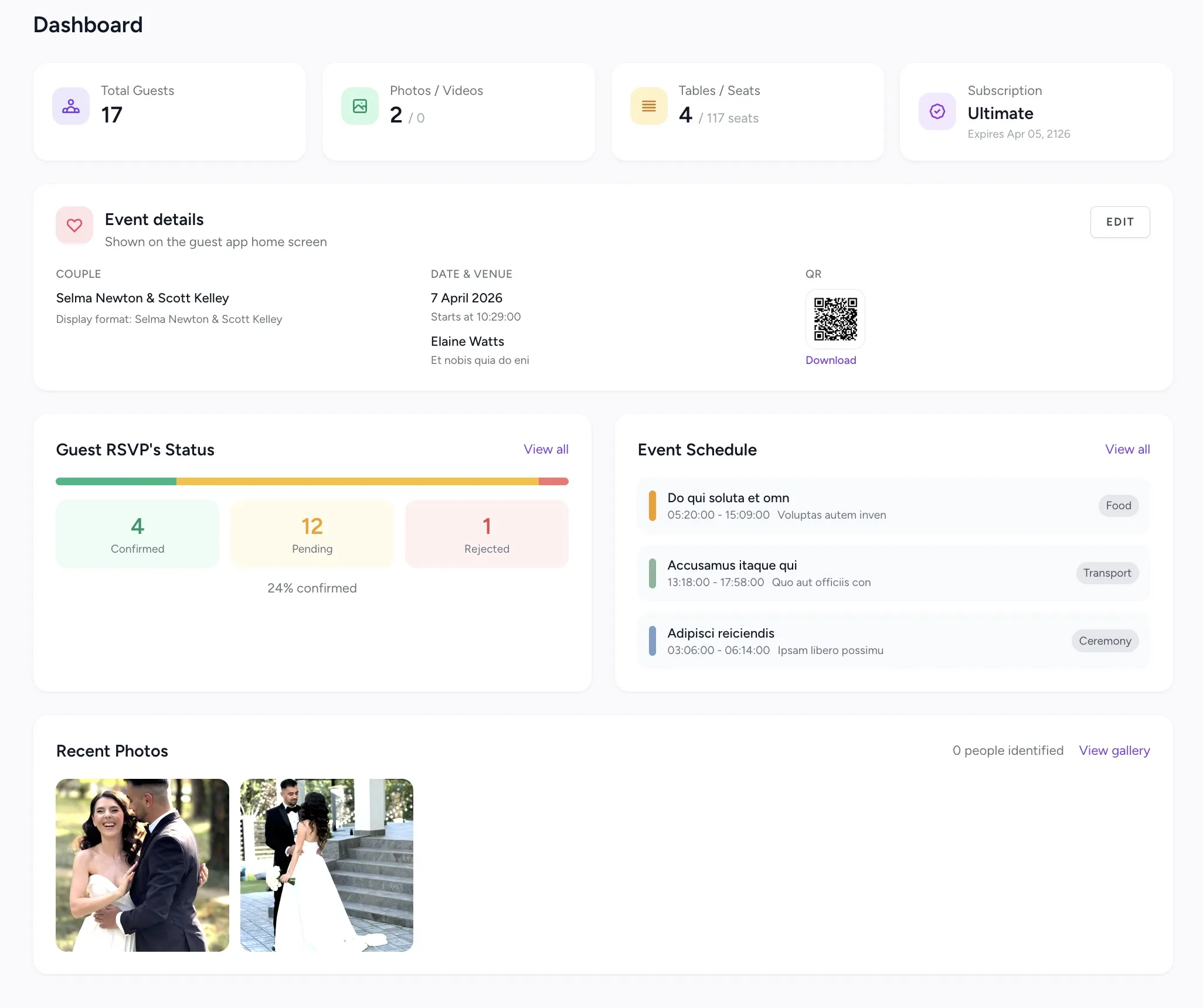
RSVP received
Sarah & James confirmed
2m ago
New photos
Maria uploaded 14 photos
5m ago
Everything that matters, in one place
Guests, seating, photos — handled.
Guest list with automatic RSVP tracking
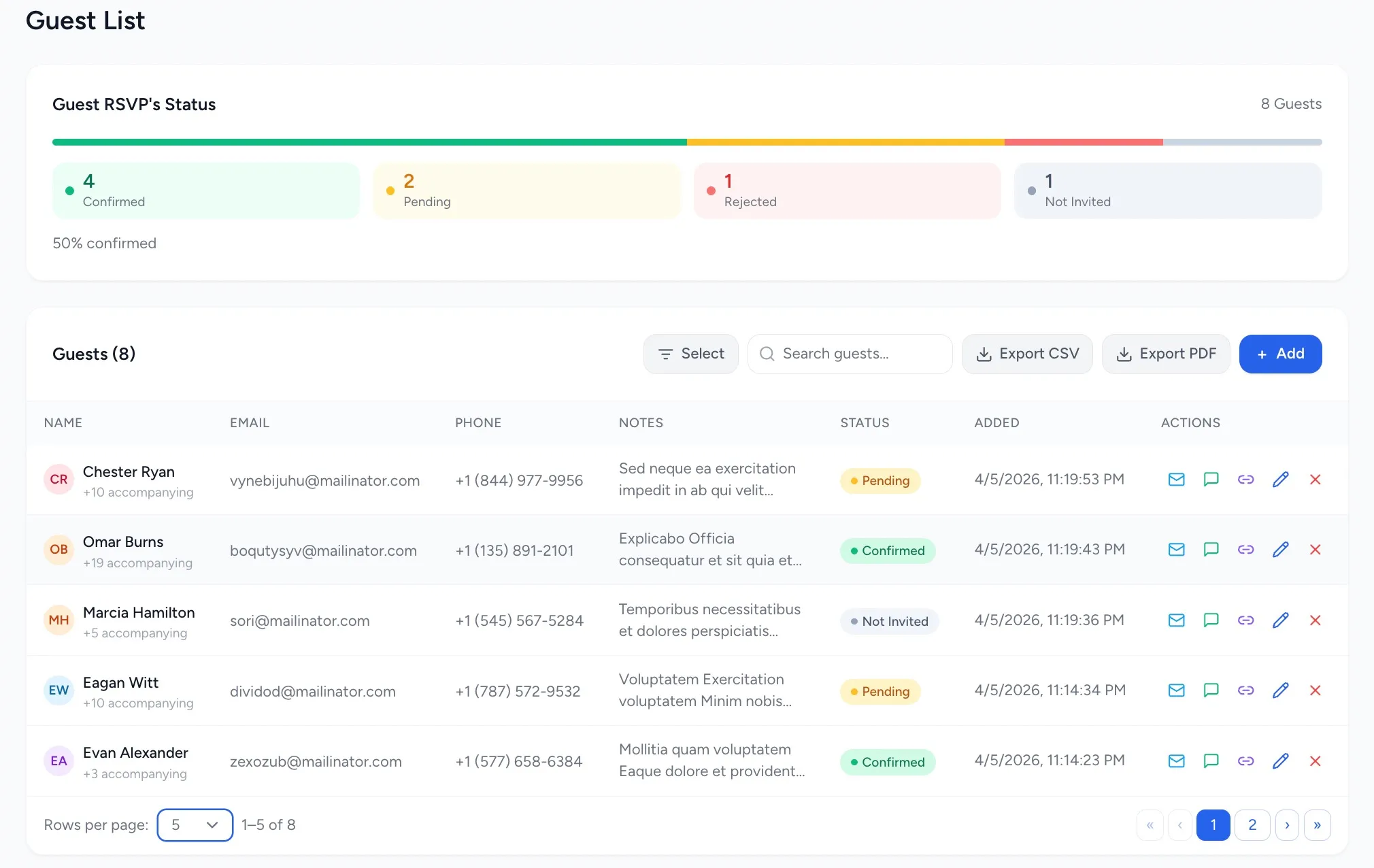
Add guests, send invitations, and track RSVPs in real time. Every guest gets a unique link — no complicated forms, no confusion.
-
Unique RSVP link per guest
-
Automated SMS and email notifications
-
Accompanying guests and special notes
-
CSV and PDF export of the final list
Interactive wedding seating arrangement
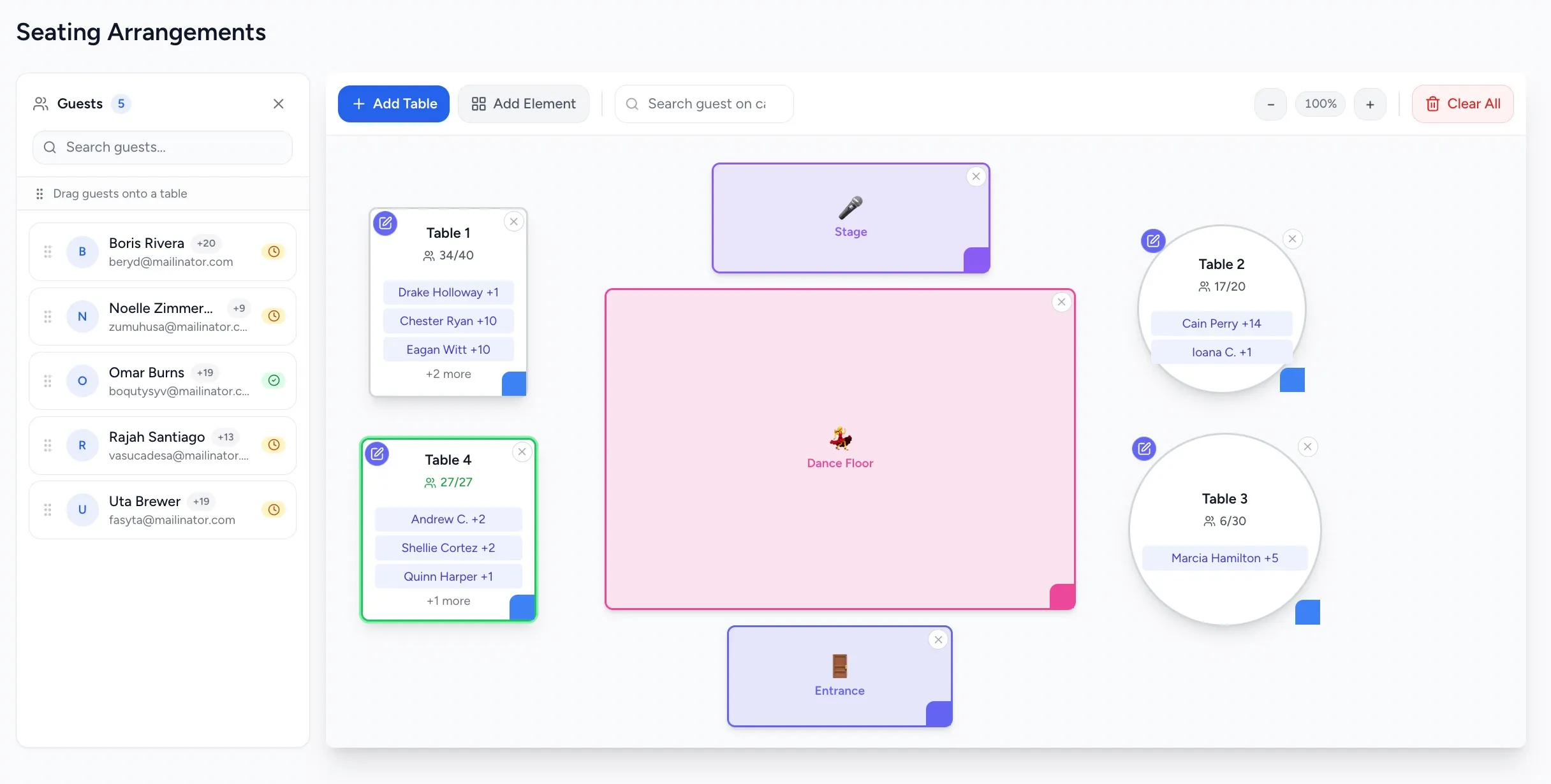
Place guests at tables with drag-and-drop on a visual floor plan. Change anything, anytime, without starting over.
-
Visual drag-and-drop floor plan editor
-
Round, rectangular tables and decorative elements
-
Assign and move guests between tables instantly
-
Fullscreen mode for comfortable editing
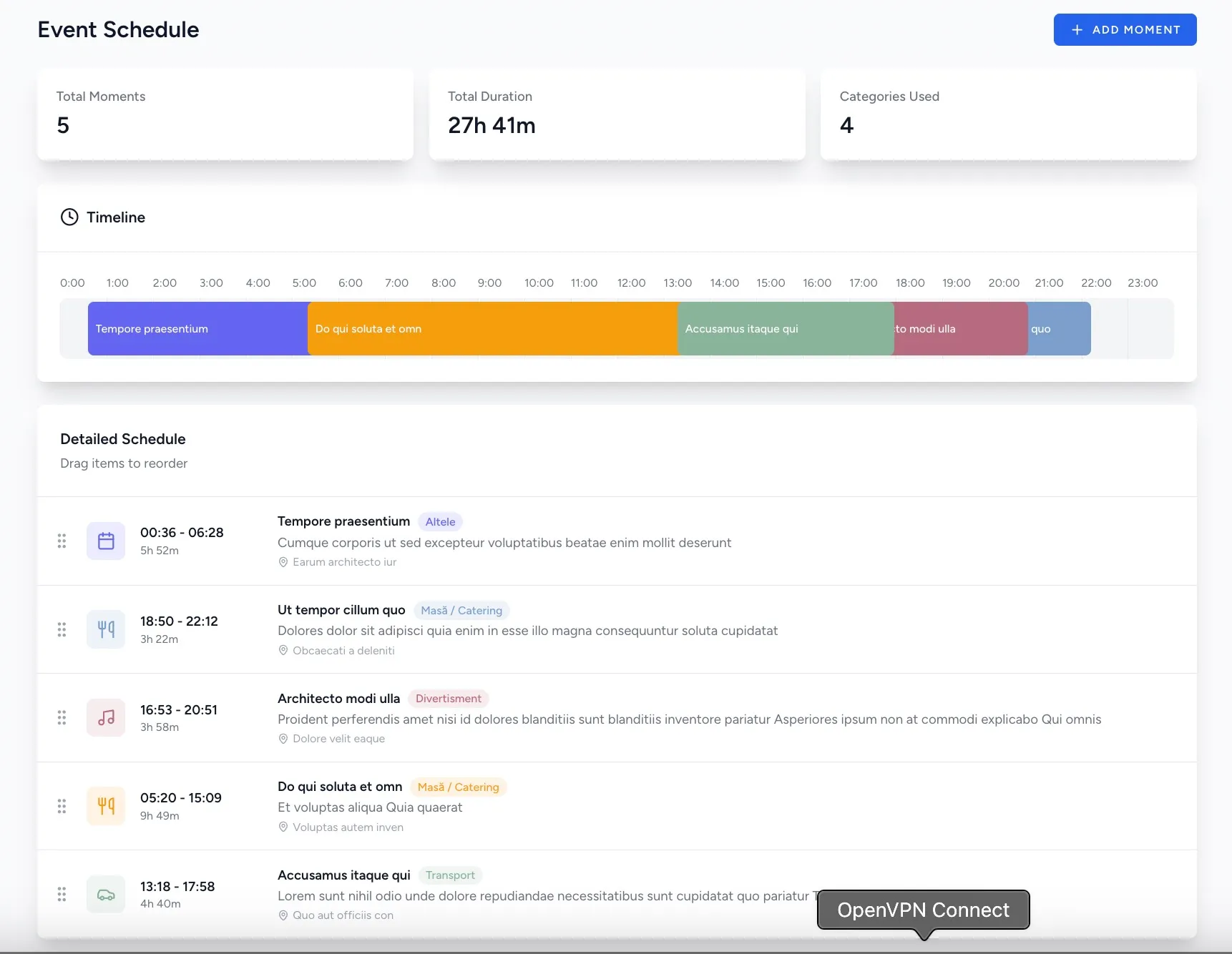
Wedding day schedule, organized step by step
Plan every moment of the day — from guest arrival to the last dance. You and your team see the same schedule, updated in real time.
-
Moments with exact times, icons and descriptions
-
Quick drag-and-drop reordering
-
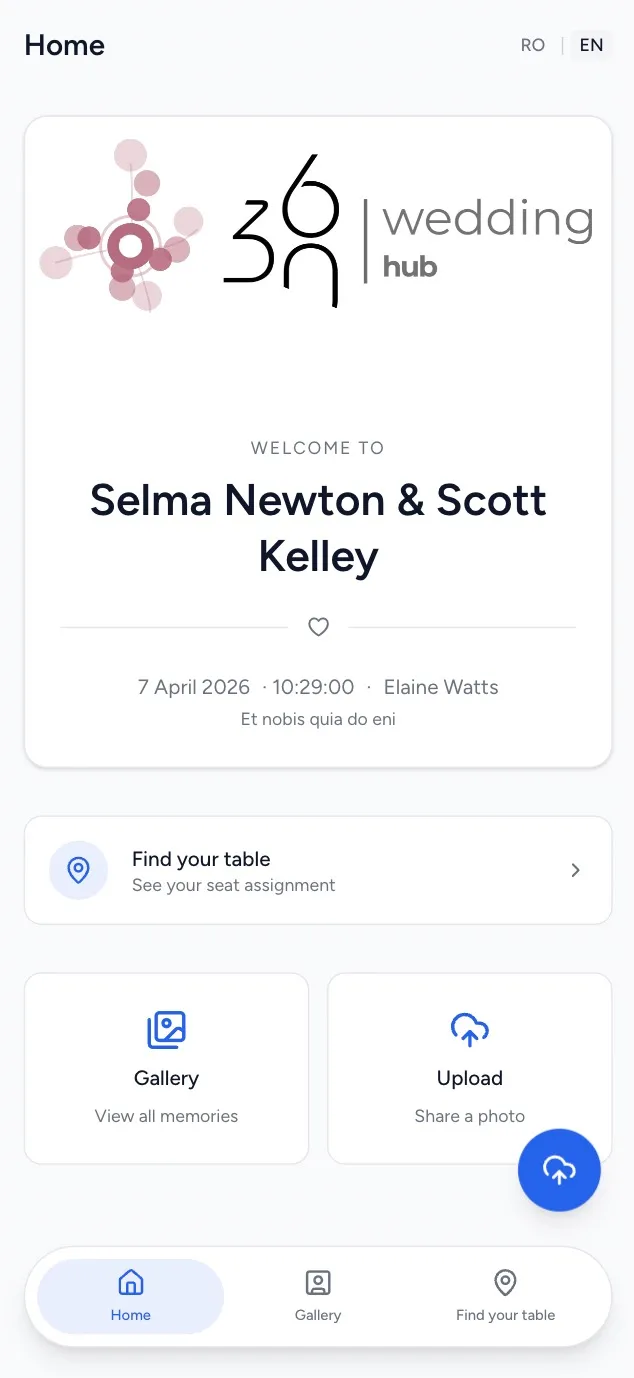
Visible to guests in real time via QR code
Guest app — photo gallery & table finder
Guests scan a QR code and instantly access a personalised mini-app — no download, on any phone.
-
Find their assigned table in seconds
-
See the live event schedule
-
Upload photos to the shared event gallery
-
No app to install, works on any phone
Every detail of your wedding, thought through from the start.
From the first guest added to the last photo uploaded — the platform covers everything you need.
01
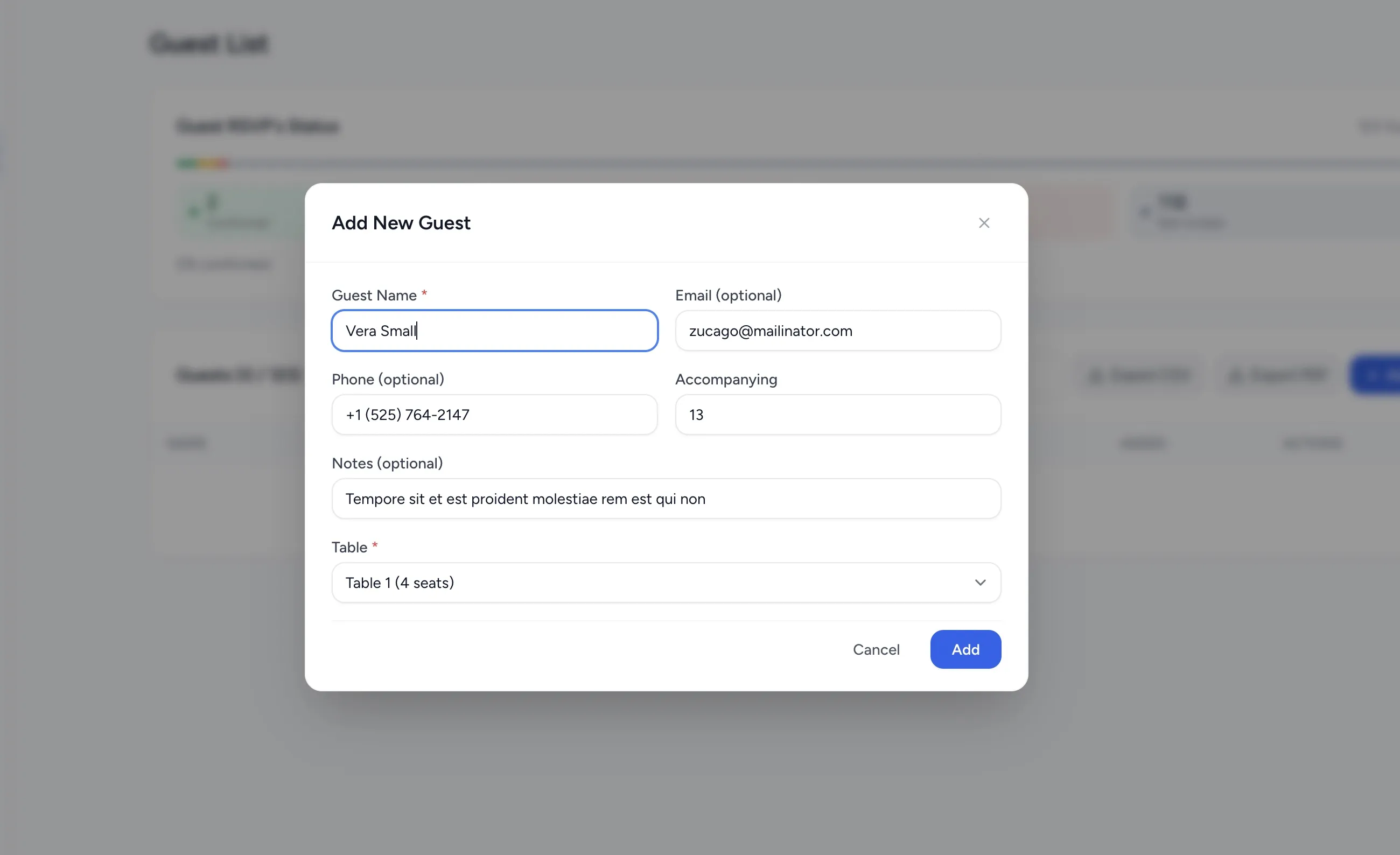
Add a guest in seconds
Fill in the name, email or phone, number of accompanying guests, and assigned table. The guest automatically receives an invitation.
- Optional fields — add only what you know
- Assign a table directly at creation
- Special notes per guest
02
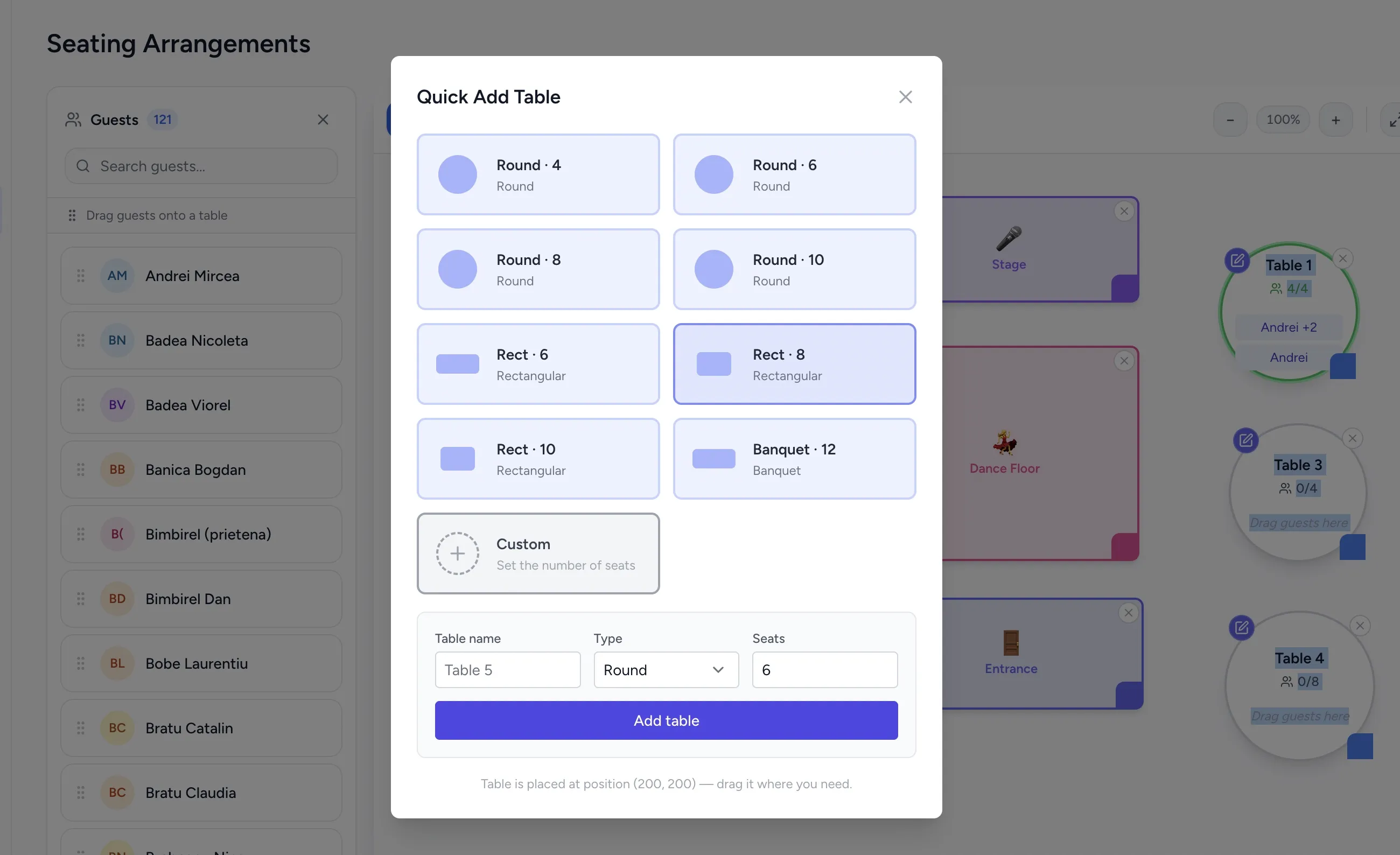
Set up tables for your venue
Choose the table type, number of seats and name — round, rectangular or banquet. The table appears instantly on the floor plan.
- 8 preset configurations + custom
- Auto-placed, move with drag-and-drop
- Capacity tracked visually in real time
03
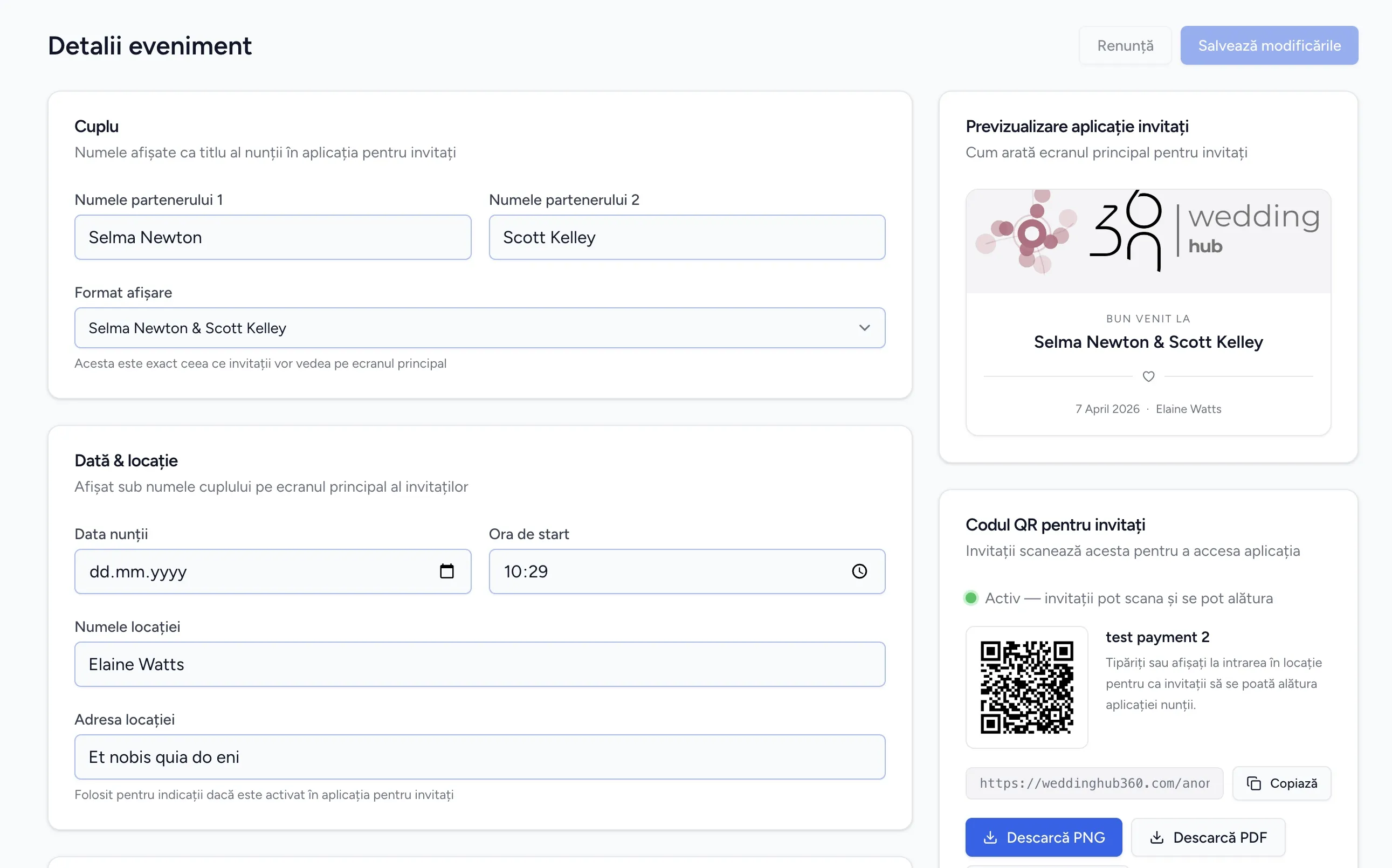
Set up your event, generate the QR code
Add the wedding details — couple names, date, location — and the platform auto-generates a unique QR code.
- Live preview of the guest app
- Download QR code as PNG or PDF
- Direct shareable link for guests
04
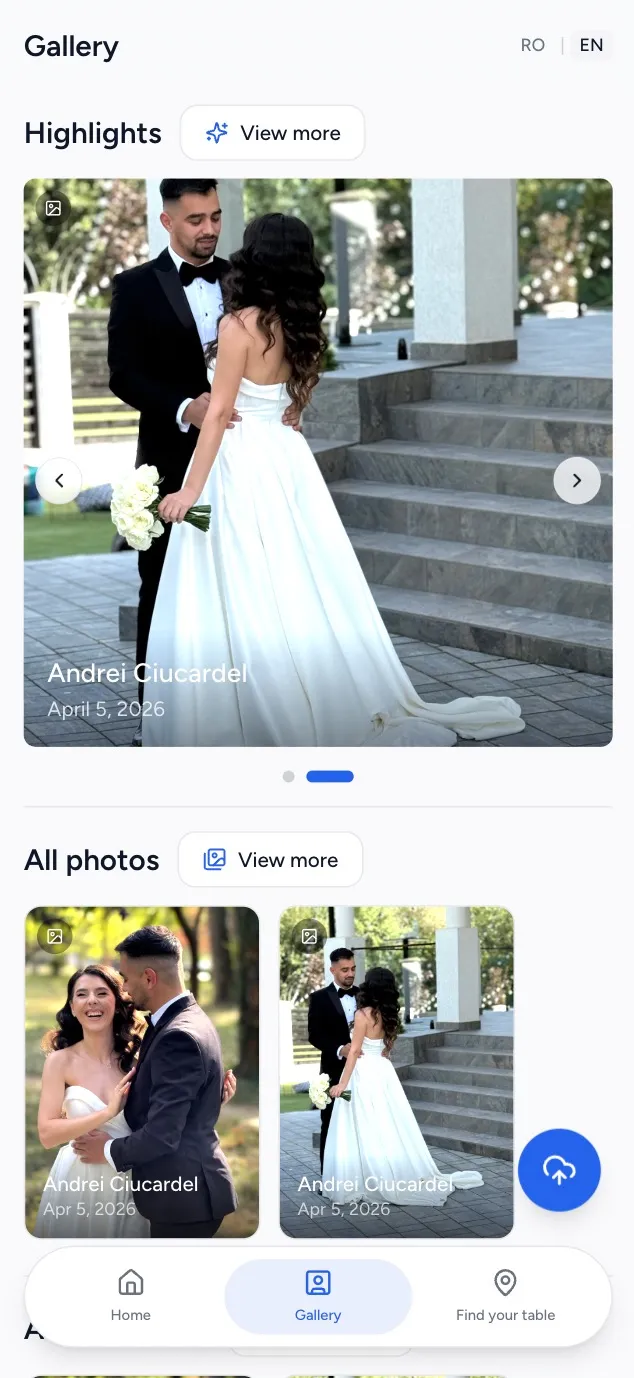
The guest app — everything they need
Guests scan the QR code and access a personalised mini-app. They find their assigned table instantly, see the day's schedule and upload photos directly from the event.
- Find their assigned table in seconds
- Face recognition — gallery filtering per person
01
Add a guest in seconds
Fill in the name, email or phone, number of accompanying guests, and assigned table. The guest automatically receives an invitation.
- Optional fields — add only what you know
- Assign a table directly at creation
- Special notes per guest
From setup to wedding-ready in 3 steps
No complications. No tech skills.
Configure your event
Enter your wedding details and guest list. The setup process takes less than 5 minutes.
Share the QR code
Put the QR code on your invitations or share it digitally. One scan — guests have everything.
Enjoy your event
Guests find their table, check the schedule, upload photos — on their own. You focus on the moments that matter.
Real couples. Real weddings.
Don't take our word for it.
"We saw moments we would have completely missed. Every guest contributed and we ended up with hundreds of photos we would never have had otherwise."
Sarah & Michael
Married June 2024
"The seating chart saved us hours of headaches. Guests found their spot instantly with the QR — no queue, no confusion, no stress."
Jessica & David
Married August 2024
"Setup took 5 minutes. Guests got it immediately with zero explanation. The interface is so clear you can't get it wrong."
Emma & James
Married September 2024
Start free. Upgrade when ready.
Explore the app with no strings attached. Pay only when you need more.
Free
- 1 event
- Up to 20 guests
- 1 collaborator
- 3 months of storage
- Guest list
- Full event schedule
- Seating chart (drag-and-drop)
- Budget & payments
- Custom RSVP templates
- RSVP with real-time confirmation
- Shared photo/video gallery
- Guest app (photo upload & table finder)
- Guest notifications (SMS/email)
- Data export (CSV/PDF)
Premium
- 1 event
- Unlimited guests
- 2 collaborators
- 12 months of storage
- Guest list
- Full event schedule
- Seating chart (drag-and-drop)
- Budget & payments
- Custom RSVP templates
- RSVP with real-time confirmation
- Shared photo/video gallery (up to 100 GB)
- Guest app (photo upload & table finder)
- Guest notifications (SMS/email)
- Data export (CSV/PDF)
Pro
- Unlimited events
- Unlimited guests
- Unlimited collaborators
- Guest list
- Full event schedule
- Seating chart (drag-and-drop)
- Budget & payments
- Custom RSVP templates
- RSVP with real-time confirmation
- Shared photo/video gallery (up to 200 GB / event)
- Guest app (photo upload & table finder)
- Guest notifications (SMS/email)
- Data export (CSV/PDF)
Common questions
Everything you need to know before you start.
Can't find the answer? Write to us at office@weddinghub360.com
The wedding toolkit you actually need.
Set it up once. Your guests handle the rest — no app, no confusion.
Free. No credit card required.